
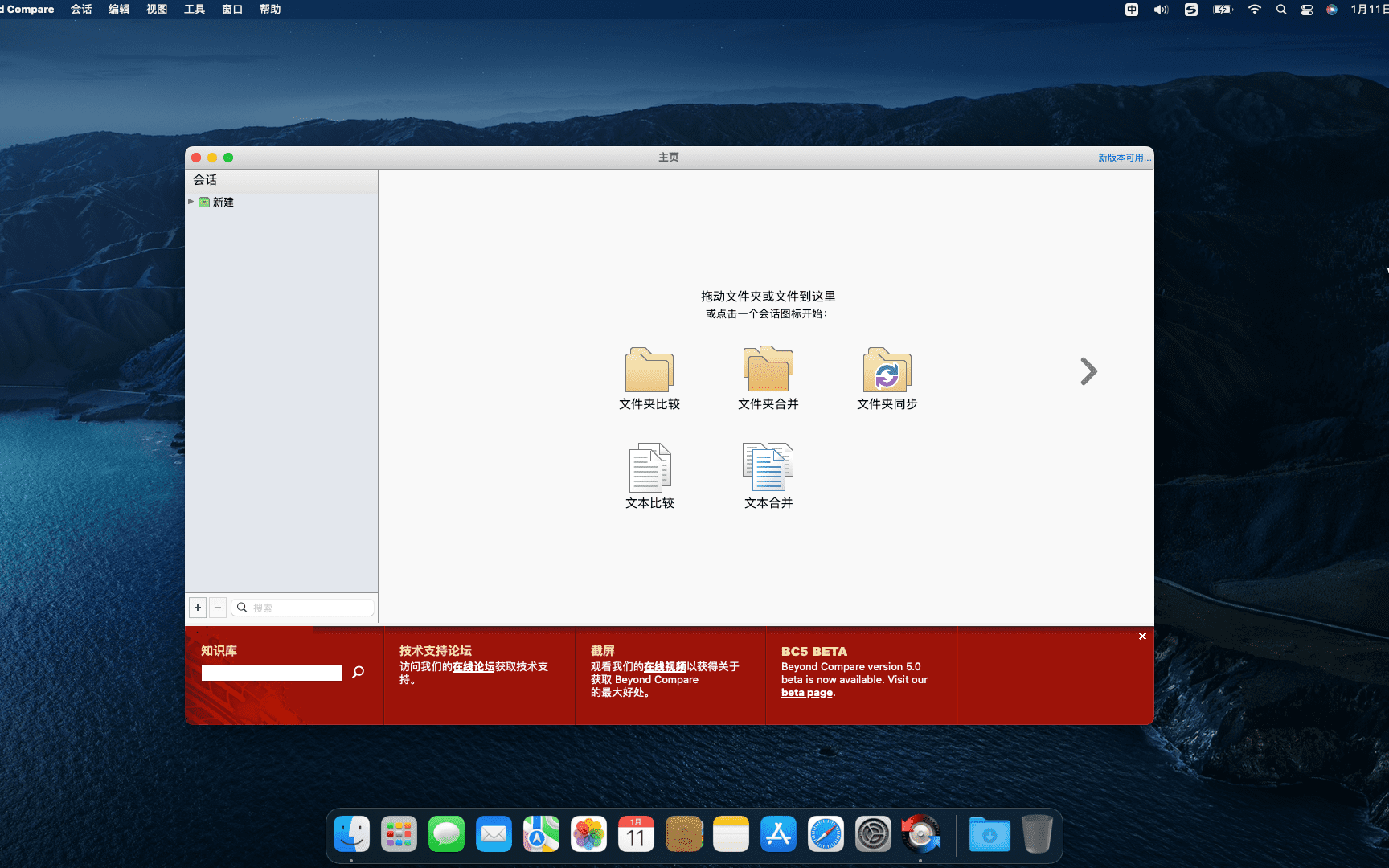
Beyond Compare is an old comparison tool,Provides rich comparison functions。It can be used to compare various types of files and folders,Include plain text files、Rich text document、compressed file、FTP sites and more。It helps users compare file differences、Keep folders in sync、File merge、Analyze differences in multimedia files,Even visually compare registry files。The main goal of Beyond Compare is to help users analyze differences in detail,and conduct detailed processing。The software already contains many default preset templates,User-friendly。Save on rewrite costs with Beyond Compare,Improve work efficiency,and reduce the likelihood of errors occurring。
statement:All articles on this site,If there is no special instructions or markings,All are originally published by this site。any person or organization,Without the consent of this website,Reproduction prohibited、Misappropriate、collection、Publish content from this site to any website、Books and other media platforms。If the content on this site infringes upon the legitimate rights and interests of the original author,You can contact us for processing。
Can free downloads or VIP membership resources be used directly for commercial use?
The copyright of all resources on this site belongs to the original author,The resources provided here are for reference and study purposes only.,Please do not use it directly for commercial use。If copyright disputes arise due to commercial use,All responsibility lies with the user。For more instructions, please refer to VIP introduction。
It prompts that the download is complete but cannot be decompressed or opened?
The most common situation is an incomplete download: You can compare the capacity of the downloaded compressed package with the capacity on the network disk,If it is less than the capacity prompted by the network disk, this is the reason。This is a browser download bug,It is recommended to download using Baidu Netdisk software or Thunder。 If this situation is excluded,You can leave a message at the bottom of the corresponding resource,or contact us。
Can't find the sample image in the material resource introduction article?
For members only、Whole site source code、Program plug-in、website template、Web page templates and other types of materials,The pictures used for introduction in the article are usually not included in the corresponding downloadable material package.。These related commercial images need to be purchased separately,And this site is not responsible for(There is no way)find source。 The same is true for some font files,However, some materials will have a list of font download links in the material package.。
The download address cannot be displayed or the content cannot be viewed after payment?
If you have successfully paid but the website does not pop up a success prompt,Please contact the webmaster to provide payment information for you to process
After purchasing this resource,Can I get a refund?
Source code materials are virtual goods,replicable,Transmissibility,once granted,No refunds of any kind will be accepted、Exchange request。Please confirm before purchasing to obtain the resources you need.
Comments (0)
Note: Please be respectful and civil in your comments Cancel reply
One Switch is a tool for quickly turning on or off system functions on the mac platform.。For example, hide mac desktop icons with one click、Switch to mac’s dark appearance (dark mode) with one click、Turn off Mac hibernation with one click、Turn on mac screen saver with one click、Connect to AirPods and more with one click、Show hidden files on mac with one click、Turn on Mac original color display and other functions with one click,You can also customize other features! Hide desktop icons with one click Hide all icons on the desktop with just one click。 Switch to dark mode with one click and switch between dark/light appearance at any time。 One-click stay awake to prevent your Mac from sleeping or showing a screensaver。 Turn on screen saver with one click Sometimes you may want to turn it on。 One-click connection to AirPods Connect AirPods to Mac in just one second。
Boom 3D is a system-wide volume booster and equalizer for Mac,Delivers an incredibly realistic and immersive listening experience with its magical 3D surround sound and futuristic technology。 It automatically enhances all audio and creates the perfect sound profile for your Mac。Boom 3D has a stylish and intuitive interface、Wide variety of presets、Option to centrally control individual app volume and wireless control (Boom Remote),Gives you complete control over the audio coming from your Mac。
LuLu is an open source firewall tool for macOS。Can block outgoing network connections for any app,until you give us your permission。While LuLu is designed to detect malware generally by flagging unauthorized network connections,But it can also be used to prevent macOS components or third-party applications from transmitting information to remote servers。 feature 100% Free no ads,no time trial,No missing features。 it doesn't track、Spy or spy on you - because that's just pure evil! The full source code for open source LuLu is available on GitHub。This transparency allows anyone to audit their code,or understand exactly what's going on。 Protection LuLu is designed to alert you when unauthorized network connections are attempted。therefore,It can often detect malware,or to block legitimate applications that may transmit private data to remote servers。 Simple "do one thing",Get it done! ” LuLu is designed to be as simple as possible。certainly,This means that complex features may not be available,But it also means it's easier to use and has a smaller attack surface! Business Friendly Wondering what network events are detected? Or rules added by your users? LuLu provides a simple mechanism to subscribe to such events,and open、Store data like rules in an easily digestible way。 Network monitoring by design,LuLu only monitors outgoing network connections。Apple's built-in firewall does a great job of blocking unauthorized incoming connections。 Rules Currently,LuLu only supports "process level" rules,This means that the process (or application) is either allowed to connect to the network,or be banned。As is the case with other firewalls,This also means that if malicious code abuses legitimate (allowed) processes to perform network operations,this will be allowed。 single user currently,LuLu can only be installed for a single user。A future version may allow multiple users to install it on the same system。 DEFENSE YOURSELF What Legitimate Attackers/Security Experts Know,Any security tool that is specifically targeted,can be easily bypassed - even if the tool uses advanced self-defense mechanisms。This self-defense mechanism is often complex to implement,It's almost always in vain in the end。therefore,LuLu has (currently) few self-defense mechanisms implemented by design。For example,An attacker can enumerate all running processes to find the LuLu component responsible for displaying alerts and terminate it
Adobe Photoshop 2020 is Adobe in 2019 Important releases at the end of the year,Marks Photoshop’s official farewell to the “CC” naming system,Comprehensive shift to modern workflows based on artificial intelligence (AI) and cloud services。This version is available in image selector、Editing efficiency、Cross-platform collaboration and user interface have been significantly improved.。 one、AI-driven intelligent image processing One-click subject selection (Subject Selection) Automatically identify and select people in photos through AI、animal or subject,Supports fine edges (such as hair),Complete cutout with one click 。 Content-Aware Fill Enhancement You can fill different areas multiple times in the "Content-Aware Fill" workspace,No need to open tools again 。 Support sampling pixels from all visible layers,Improve filling naturalness 。 Automatic coloring and restoration can automatically colorize old black and white photos,Powered by Adobe Sensei AI 。 Delete unwanted objects (such as wires) with one click、pedestrian),And intelligently fill the background 。 Skin Smoothing provides AI-driven beauty features,Automatically recognizes faces and smoothes skin,Support slider to adjust intensity 。 two、Selection and Masking Tool Optimization Object Selection Tool (Object Selection...
System Toolkit is an all-in-one information and maintenance application designed for MacOS。 System Toolkit provides system maintenance、Privacy protection、disk cleanup、Battery maintenance、Network status monitoring、Practical functions such as network traffic monitoring。 System Toolkit can retrieve the latest technical data at any time,For example, process load,CPU temperature,Main memory consumption,storage space,disk activity,Communication on network interfaces, etc.。The program continuously monitors your system,and be available when needed。
Passwords saved in Safari can help you log into websites easily,without having to enter your credentials every time。sometimes,You may want to check、Edit or delete Safari saved passwords。Here are the steps on how to view Safari saved passwords on Mac: View Safari saved passwords 1. Open the Safari browser Launch the Safari browser,Then click on the "Safari" menu in the upper left corner of the screen,Select "Preferences"。 2. Access password settings in the pop-up "Preferences" window,Click on the "Password" option。 3. Enter your computer password. You will be asked to enter your Mac’s administrator password.,to verify your identity。After entering the password,Click "OK"。 4. View saved passwords after successful login,You will see a list of saved passwords。Click on any website entry,You can view the corresponding password。 5.Delete Password If you want to delete a saved password,Select this password entry,Then click the "Remove" button in the lower right corner。 6. Add new password To add a new password entry,Click the "Add" button in the lower right corner,Enter relevant information and save。 Go through the above steps,You can easily view、Remove or add Safari saved passwords。
SiteSucker is a powerful tool for downloading entire sites on Mac OS X,All resources of the entire website can be downloaded to the local hard drive。 SiteSucker is a powerful tool for downloading entire sites on Mac OS X,A tool that can download the entire website to a local computer and view it offline,And it’s not just about downloading the website’s HTML source files,He even included the overall structure of the website and all the text below,program files,picture,video,Audio and other data are downloaded to your Mac’s local hard drive without missing a beat.。It’s so awesome that it’s unbelievable,The operation is also very simple
Special reminder:This software requires Rosetta to be installed on the macOS system to run。 Rosetta installation method reference tutorial: Apple ARM M1 application crashes after installation、What should I do if I cannot activate it? Apple ARM M1 application crashes after installation、What should I do if I cannot activate it? UltraEdit 20 for Mac is a powerful text code editor。UltraEdit can edit text、hexadecimal text、ASCII code,Can edit multiple files at the same time,File comparison is possible,UltraEdit built-in FTP browser,and supports syntax highlighting for hundreds of programming languages,With integrated SSH / telnet client,Script,Custom tools,Macros and smart templates,UltraEdit can be used with any coding session。This site provides UltraEdit20 mac crack version download。
Hopper Disassembler is a reverse engineering tool,Allows you to disassemble、Decompile and debug the application。The tool adapts perfectly to the environment,The macOS version takes full advantage of the Cocoa framework,The Linux version uses Qt 5。Hopper extracts procedural information by analyzing the introduction of a function,Such as basic blocks and local variables。Via Hopper SDK,You can extend Hopper's functionality,Even write your own file format and CPU support。Hopper can also display a graphical representation of the control flow graph,And most Hopper functions can be called from Python scripts,Convert binary files in any way。Hopper can use LLDB or GDB for debugging and analysis,Specifically used to retrieve Objective-C information from analysis files,such as selector、Strings and messages sent。Hopper able to decode Swift's obfuscated names,Use tabs to create workspaces with different representations of files,Use different colors to help you understand various discovered objects,and create your own structures using the built-in type editor、union or enum type。
Friends who are new to Mac computers,Do you know how to check the system version of Mac and how to upgrade the system version? Here the editor brings you a detailed tutorial。This common sense is very practical for Mac newbies,Collect it quickly! How to check the current system version of your Mac computer 1. Click the Apple logo in the upper left corner。 2.Select "About This Mac"。 This will display the system version number of your Mac computer。 macOS operating system upgrade tutorial macOS 10.15 The official version will be launched on September 25, 2019。If you purchased a Mac computer after October 2019,This new Apple desktop operating system should come pre-installed。Apple's operating system is different from Windows,macOS is free for users to install and update。How to upgrade macOS system for free? Let’s take a look! 1. Open "System Preferences"。 2.Find "Software Update"。 3.Click "Update Now",Then follow the prompts to complete the upgrade of the macOS operating system.。 Hope these tutorials can help you,Let you use your Mac computer better!
Cisdem AppCrypt is an encryption software on the Mac OS platform,You can set a secure password for your Mac app to protect your iPhoto,iTunes,Contacts etc.。 Cisdem AppCrypt is also very simple to use,Just set a password,Add the apps you want to lock,No one will be able to access the protected application,Unless they have the correct password。Cisdem AppCrypt adds the ability for users to lock Mac apps at specific dates and times。For example:After school (3:00-5:00) but not at 10:00。at the same time,Its setup time is easy,Because it's a you set your alarm。 Think of it, make a cup of coffee,And your personal chat window is on the screen? no problem。Cisdem AppCrypt will intelligently terminate programs not previously running when your Mac goes into hibernation or standby。Cisdem AppCrypt automatically password protects some important system applications,Includes Activity Monitor,System settings,Host and terminal。You can also remove them from the blocked apps list manually。
Screen Studio makes your mouse movements smoother,Automatically enlarge the clicked area,Apply a cinematic motion blur effect to all animations,and add a beautiful background around your recording。Turn your recording into a high-quality promotional video in just one minute。 Features High quality video - no editing skills required in Screen Studio,Everything you have to do in video software is done automatically。 Smooth cursor movement All jitter of the mouse cursor is eliminated,Instantly delivers studio-level quality。 Zoom and follow mouse clicks Select the part of the video you want to focus on with mouse movements,Screen Studio will create all animations。 Cinematic Motion Blur Motion blur will be applied to every moving part of the animation,Make videos feel smoother,Higher perceived frame rate。 Wallpapers and Window Frames Background padding can add width to your videos。When posting to social media,Video will feel less busy and noisy。 Change layout and cursor。 Record the iPhone Simulator on your Mac and crop it - all animations will be automatically adjusted。Change cursor,Your mobile app demo is ready。 Selfie Camera Support Screen Studio will automatically animate the position and size of your webcam video。For example,when zooming,It moves slightly away to avoid covering the mouse pointer。 The downloaded compressed package contains DMG files suitable for both ARM and INTEL platforms.。Please download the compressed package and unzip it to select the corresponding DMG installation according to your Mac system.。 The whole process of installing Screen Studio on Mac computer: one、Prepare the files first and download the installation package:First download Screen Studio 2.20.4 cracked version.dmg to your Mac,Usually found in the "Downloads" folder。 Make sure the file is not damaged,The sizes are almost right (don’t let the lower half break)。 two、Start installation Double-click to open .dmg...
Comments (0)

