

Money Pro is a very useful financial management software on Mac,More than two million customers around the world currently use it to manage their personal finances。It's a true all-in-one app,Can plan bills for you、Arrange budget、Track transactions,And all operations can be performed synchronously。
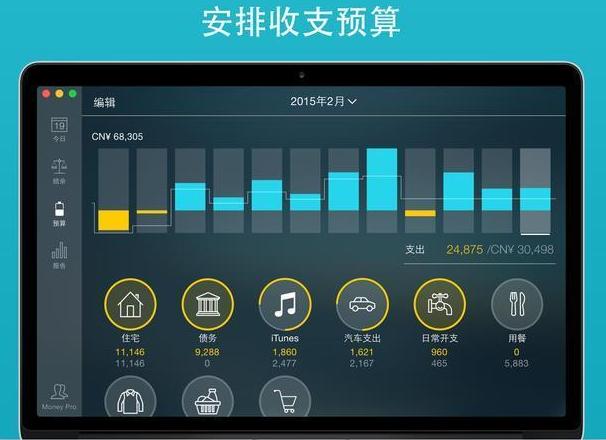
Money Pro offers a one-stop bill plan、Budget management and account tracking。 This app features easy sync。 Money Pro is ideal for home budgeting and even business applications。
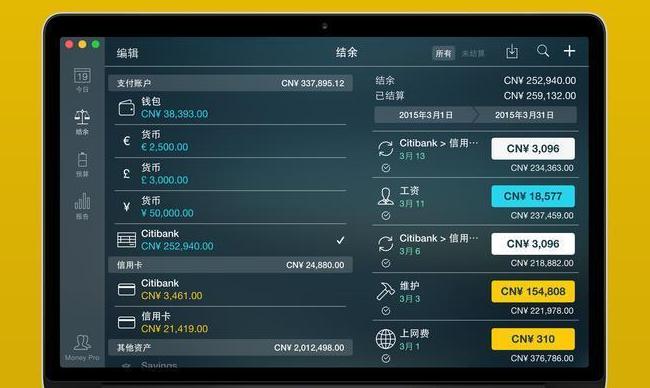
Function
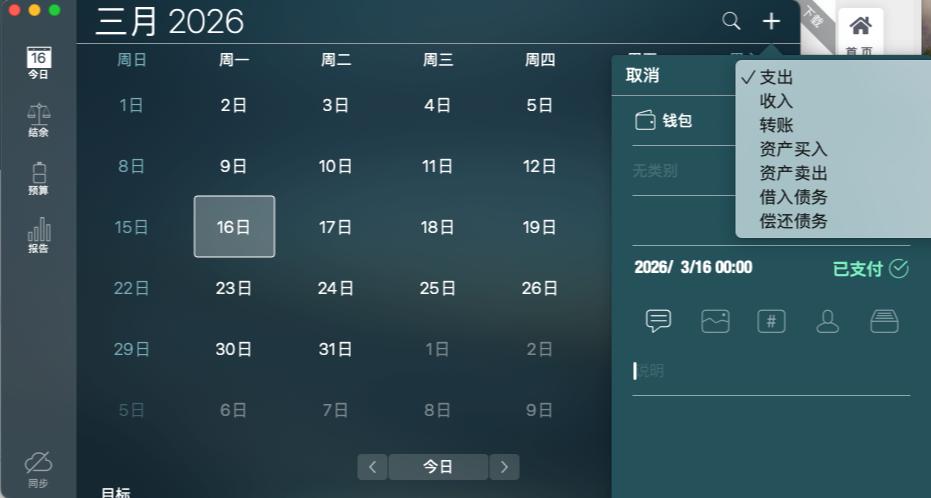
calendar
- Mark the day your bill is due on the large calendar。
- Set up recurring bills with customizable periods。
- Filter transactions by selecting a date in the calendar。
Today's view
- Quickly view due bills。
- Quickly approve transactions as they occur。
- Money Pro can predict transactions that have not been manually scheduled for the day。
Bill due notice
- Comprehensive reminder system reminds you of upcoming bills due。
- Quick rescheduling options can help you deal with (tomorrow、3 Within the day、Bills due next week)。
Budget
- Create budget entries for income and expenses,and specify budget limits for each item。
- You can set different budget limits for each time period。If you plan to reduce your expenses month by month,This feature is very useful。
- Start adding each of your transactions,See the growth of each category and overall growth。
- Visual indicator for monitoring budget overruns
- Select categories to analyze and instantly view the resulting budget trend graph
Budget carry forward
- You can set up the budget balance in the current period to be carried forward to the next budget period。
- If you overspent in a previous time period,Budget rollover automatically limits your spending。
Check ledger
- You can open an unlimited number of accounts at the same time (checking、savings、credit card, etc.)。
- Make a transaction recurring or one-time。
- Balance change history
- Additional fields for managing records,include payee、illustrate、Check number、Classification (Personal Expenses/Business Travel Expenses)。
- Receipt photo attachment
Account reconciliation
- You can record transactions,and settle (reconciliation) at a later date。
- Automatic calculation of available balance and closing balance。
Import bank statements
- Import transaction history,Keep your account up to date (Supporting Documents:.ofx)。
- Money Pro understands how you categorize transactions,and be able to predict which category a transaction to be imported belongs to。
split transaction
- You can split transactions into categories。When you shop in a large mall and pay for multiple products at the same time,This feature is very useful。
Calculator and currency converter
- Calculate amounts when planning a budget
- Quickly convert currencies when entering transactions
search
- Can be based on amount、category、Search transactions with description and payee etc.。
Detailed report
- income/expense
- cash flow
- trade
- Assets/Liabilities (Net Worth)
- estimated balance
- Daily/weekly/monthly/yearly trend chart
Many customization options
- Create budgets and bill plans with customizable cycles (weekly、every two weeks、monthly, etc.)
- The structure of income/expense categories and subcategories can be adjusted as needed。
- use 1400 Multiple built-in icons to customize accounts and categories。
- Use photos to create your own unique icons。
iCloud
- Money Pro uses iCloud to sync data between all your devices (iPhone、iPad、Mac)。
Back up data
- Money Pro automatically backs up your data at all critical moments。
- You can also create a backup manually。
Multiple description files
- You can set up multiple profiles,to track your household budget and small business separately。
More
- Print and export to pdf、qif、csv format
- Password protection
- Supports multiple currencies and automatically updates exchange rates
- Import data from csv
Detailed instructions for installing Money Pro 2.11.23
1.Download ready installation package
➡️ Installation package download:First download the Money_Pro_2.11.23_MAS.dmg file to your Mac,Usually found in the "Downloads" folder。
➡️ Make sure the file is not damaged,The sizes are almost right (don’t let the lower half break)。
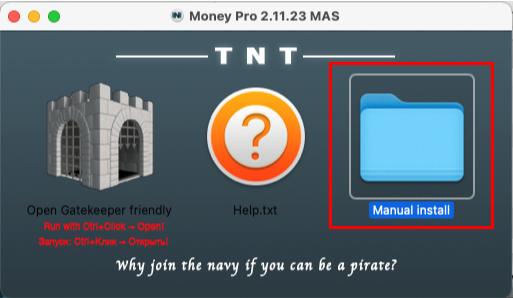
➡️ Double-click to open the DMG file above,The following window appears,Click the Manual button to enter the Manual install folder,Money Pro inside 2.11.23 BUT[TNT].dmg file。
2.Start installation
➡️ Double-click to open the .dmg file,Find your Money Pro 2.11.23 BUT[TNT].DMG file,double click on it,A window will pop up,There is usually a Money Pro icon and an "Applications" folder icon.。
➡️ Drag the Money Pro icon into Applications,Put the Money Pro on the left icon (or other icon that displays Money Pro),Use mouse directlyDrag and drop to the “Applications” folder icon on the right,Just like putting a file into a folder。👉 This step is equivalent to installing the software into your computer。
(If a pop-up prompt says "Unable to verify developer",Don't panic,Continue reading below)
➡️ Handling "Cannot verify developer" prompt (common situation)macOS may pop up a window saying that this app is not from the App Store,not safe,Asking if you want to open it。You can do this:
FirstHold down the Control key,Then click on that Money Pro icon,Select"Open";
Or go[System Settings]→[Privacy and Security]→[Security]There,You will see a prompt saying that an app is blocked,Click"Still open" That’s OK。
➡️ Wait for copy to complete,After dragging it over,The system will automatically copy the software to your application folder,Just wait until the progress bar runs out or the prompt is complete.。
3.Money Pro does not require activation,Use it directly after installation。
Most of the download resources on this site are collected from the Internet,Only for learning and communication purposes,Copyright belongs to the original author。If you need to use non-free software or services,Please purchase genuine licenses and use them legally。If the content published on this site infringes upon your rights,Please contact the webmaster to delete,We will handle it promptly。
If the download address is invalid,You can leave me a message,The editor saw the news,Will update the link as soon as possible! Thanks!


