
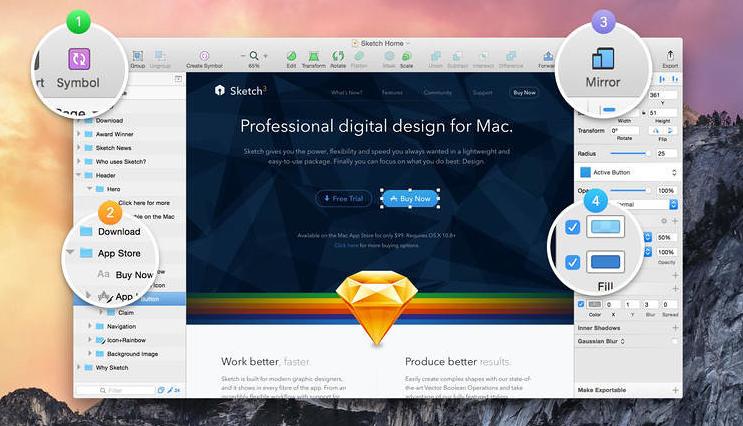
Sketch(App Store 精华) 是最强大的移动应用矢量绘图设计工具,For web and mobile designers,N times easier to use than PhotoShop! Especially when it comes to mobile app design,Sketch 3 的优点在于使用简单,low learning curve,And the function is more powerful and easier to use。Can greatly save designers time and workload,Great for website design、mobile app design、Icon design etc.。
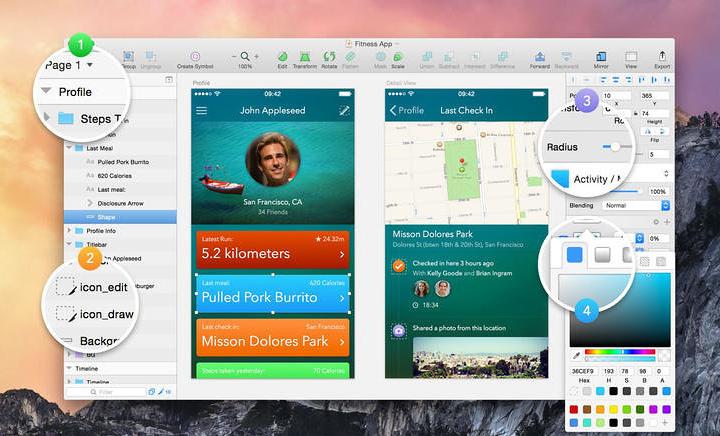
Vector tools and basic shapes are the foundation;Whether you are designing icons、website、Interface or anything else。Combine these with non-destructive Boolean operations into complex shapes,giving you the freedom to edit them in the future,Then apply advanced layer style options,like multiple shadows、filling、Gradient、noise、mix、Background blur etc.。
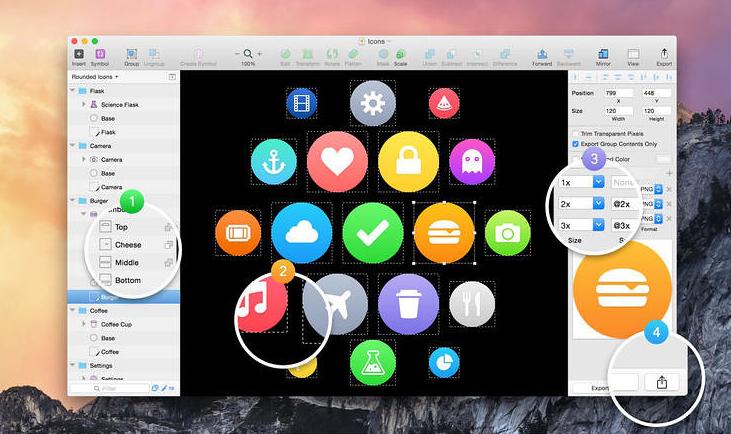
Made for Mac,Sketch supports OS X versions and auto-saves,Let you focus on your work,Instead of hitting CMD+S。Use iCloud to securely sync your work across multiple Mac computers。and make Sketch full screen to maximize your canvas size。
安装Sketch 2025.3.4详细说明
1.下载准备好安装包
➡️ Installation package download:先把 Sketch_2025.3.4_[TNT].dmg 文件下载到你的 Mac 上,Usually found in the "Downloads" folder。
➡️ Make sure the file is not damaged,The sizes are almost right (don’t let the lower half break)。
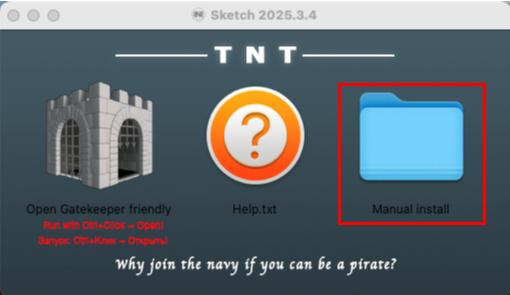
➡️ 双击打开上面的DMG文件,出现下面的窗口,点击Manual按钮进入Manual install文件夹下,里面有Sketch 2025.3.4[TNT].dmg文件。
2.Start installation
➡️ Double-click to open the .dmg file,找到你的 Sketch 2025.3.4[TNT].DMG文件,double click on it,A window will pop up,里面通常有 Sketch 的图标和一个“Applications”(应用程序)的文件夹图标。
➡️ 把 Sketch 图标拖到 Applications 里,把左边的 Sketch 图标(或者其他显示 Sketch 的图标),Use mouse directlyDrag and drop to the “Applications” folder icon on the right,Just like putting a file into a folder。👉 This step is equivalent to installing the software into your computer。
(If a pop-up prompt says "Unable to verify developer",Don't panic,Continue reading below)
➡️ Handling "Cannot verify developer" prompt (common situation)macOS may pop up a window saying that this app is not from the App Store,not safe,Asking if you want to open it。You can do this:
FirstHold down the Control key,然后点击那个 Sketch 图标,Select"Open";
Or go[System Settings]→[Privacy and Security]→[Security]There,You will see a prompt saying that an app is blocked,Click"Still open" That’s OK。
➡️ Wait for copy to complete,After dragging it over,The system will automatically copy the software to your application folder,Just wait until the progress bar runs out or the prompt is complete.。
3.Sketch 2025.3.4无须激活,安装好后直接使用。

Comments (0)