How to connect FeiFox to the interface:
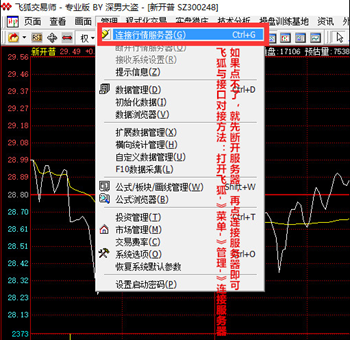
Open Feihu→Menu→Management→Connect to Server,If you can't click,Just disconnect the server first,Then click Connect to Server
As shown in Figure 1:
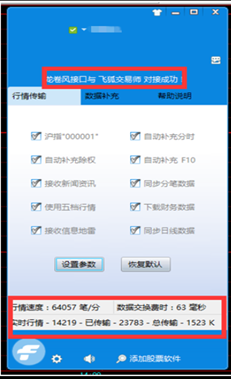
After successful docking, the screen shown in Figure 2 will appear.:
Methods and precautions for connecting FeiFox and interface software:
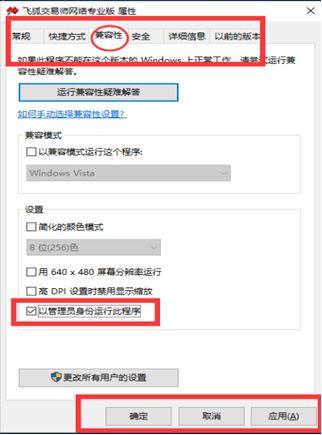
If Feihu is operated under win7 genuine system or win10 system,Need to be started as administrator,
Method one:"Flying Fox Trader Online Edition" → "Properties" → "Compatibility →" Check "Run this program as an administrator" → "Apply" → "OK"
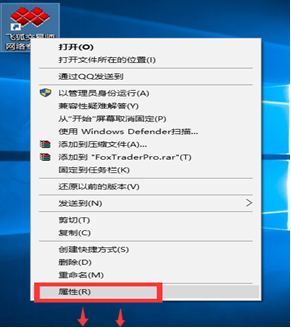
Method two:Right-click on the Flying Fox icon → click "Run as administrator"
Notice:Every time you start Feihu, you need to do the following::
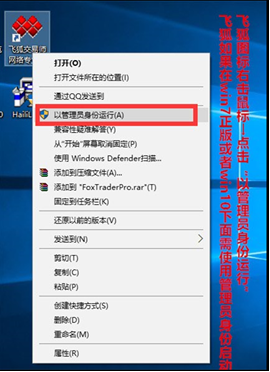
It is recommended to use method one to set up,In this way, you can directly start Feihu the next time you use it.。To use method two, you need to select "Run as administrator" every time you start Feihu.。More troublesome。
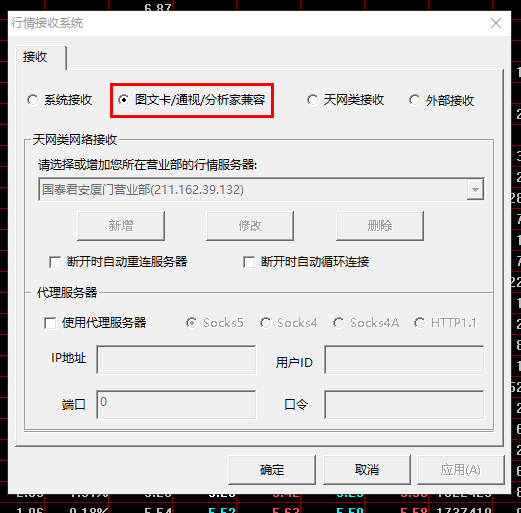
How to solve the problem that Feihu needs to switch the data source every time it connects to the interface:
Note:This method may not be 100% effective。Please do this after exiting or uninstalling 360。Because 360 may prevent the modification of registry information。
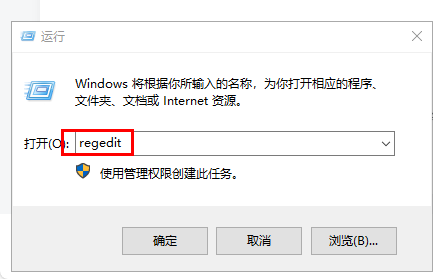
1、Open your computer's registry(start->run->Enter the command regedit):
2、Find the following key value location in the opened registry interface,and follow the instructions on the picture:
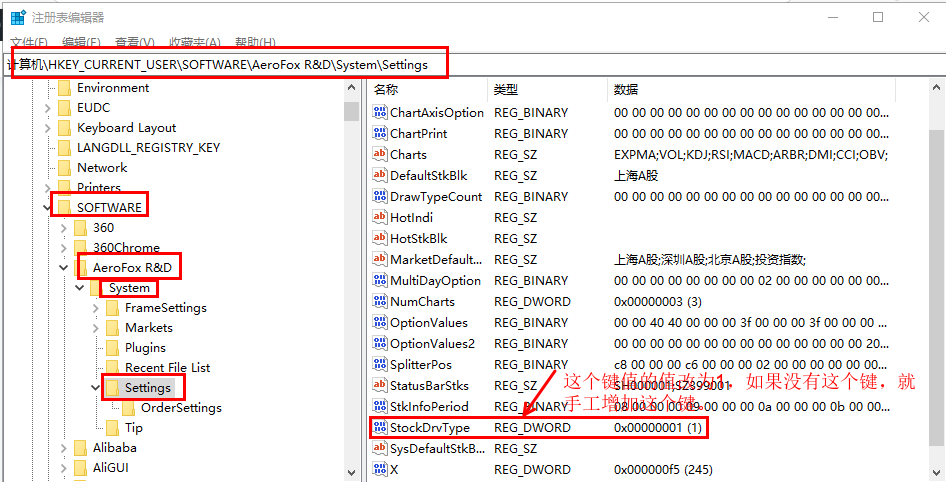
3、close registry,Now start Feihu and try to see if the switching data source selection takes effect.。If it does not take effect,It is best to close or uninstall 360 or similar security software on your computer and try again.。
How to open the Tornado interface and precautions:
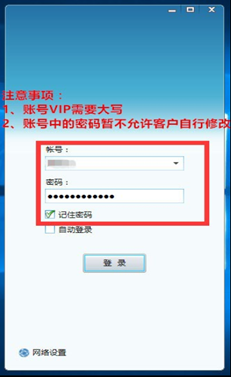
- Account VIP needs to be capitalized;
- The password in the account is not allowed to be modified by the customer at the moment.,If necessary to modify,Please contact customer service to modify。The password requirement is 6 digits。